¶ RTX Rapid Denoiser AI
¶ 1. Introduction
RTX Rapid Denoiser AI is a local AI-powered video denoising tool based on NVIDIA RTX GPUs, designed to enhance video clarity and detail.
It intelligently detects noise and grain in video footage, optimizes the image, and preserves original details during the denoising process, resulting in cleaner and more natural visuals.
Ideal for:
- Videos shot in low-light conditions
- Old or compressed video footage
- Content with noticeable noise or grain
¶ 2. Key Features
-
RTX GPU Acceleration
Leverages NVIDIA RTX hardware for efficient local processing -
Intelligent Noise & Grain Removal
Automatically detects and removes noise and grain artifacts -
Detail Preservation Optimization
Maintains textures and fine details during denoising -
Multiple Output Resolution Support
Supports output from original resolution up to 4K
¶ 3. Supported Formats
¶ 3.1 Input Formats
- Supports common video formats (MP4, MKV, MOV, etc.)
- Maximum input resolution: 1920 × 1080
¶ 3.2 Output Formats
- Output formats: MP4, MKV
- Codecs: H264 / H265
- Output resolutions:
- Original resolution (Origin)
- 720p / 1080p / 1440p / 4K
¶ 4. How to Use
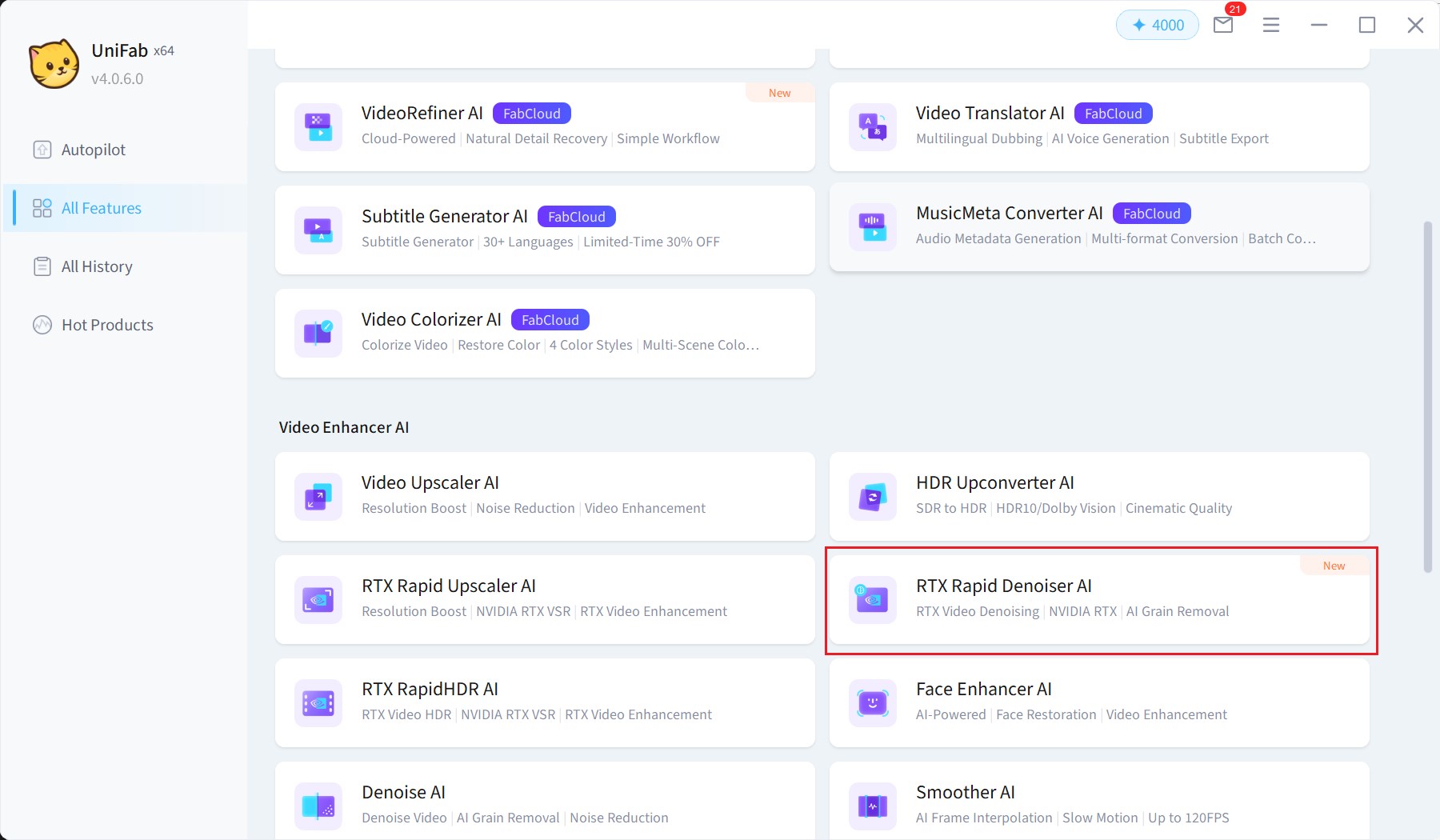
Step 1: Open the feature
Go to "RTX Rapid Denoiser AI" in UniFab
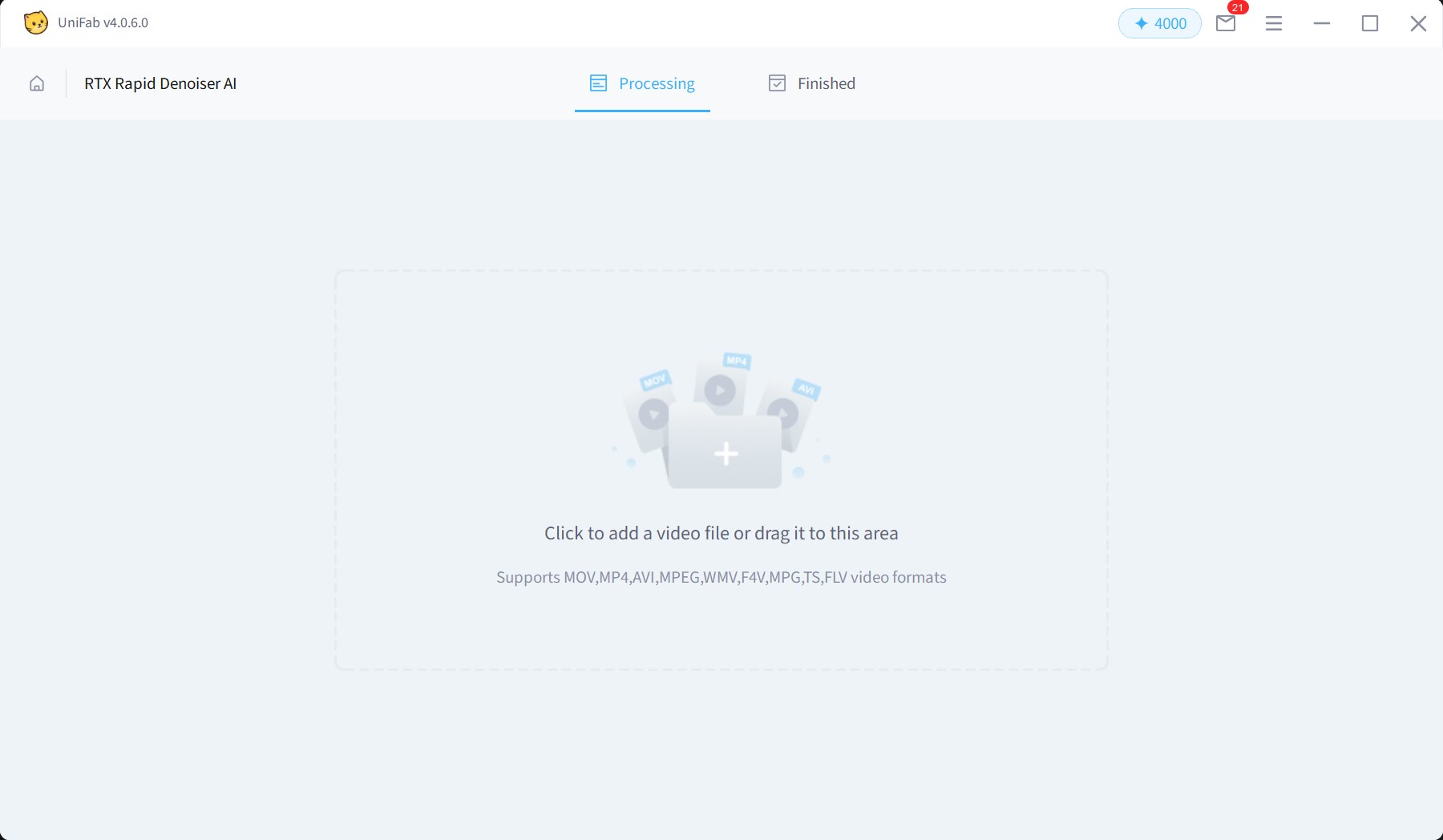
Step 2: Add videos
Import the video files you want to process
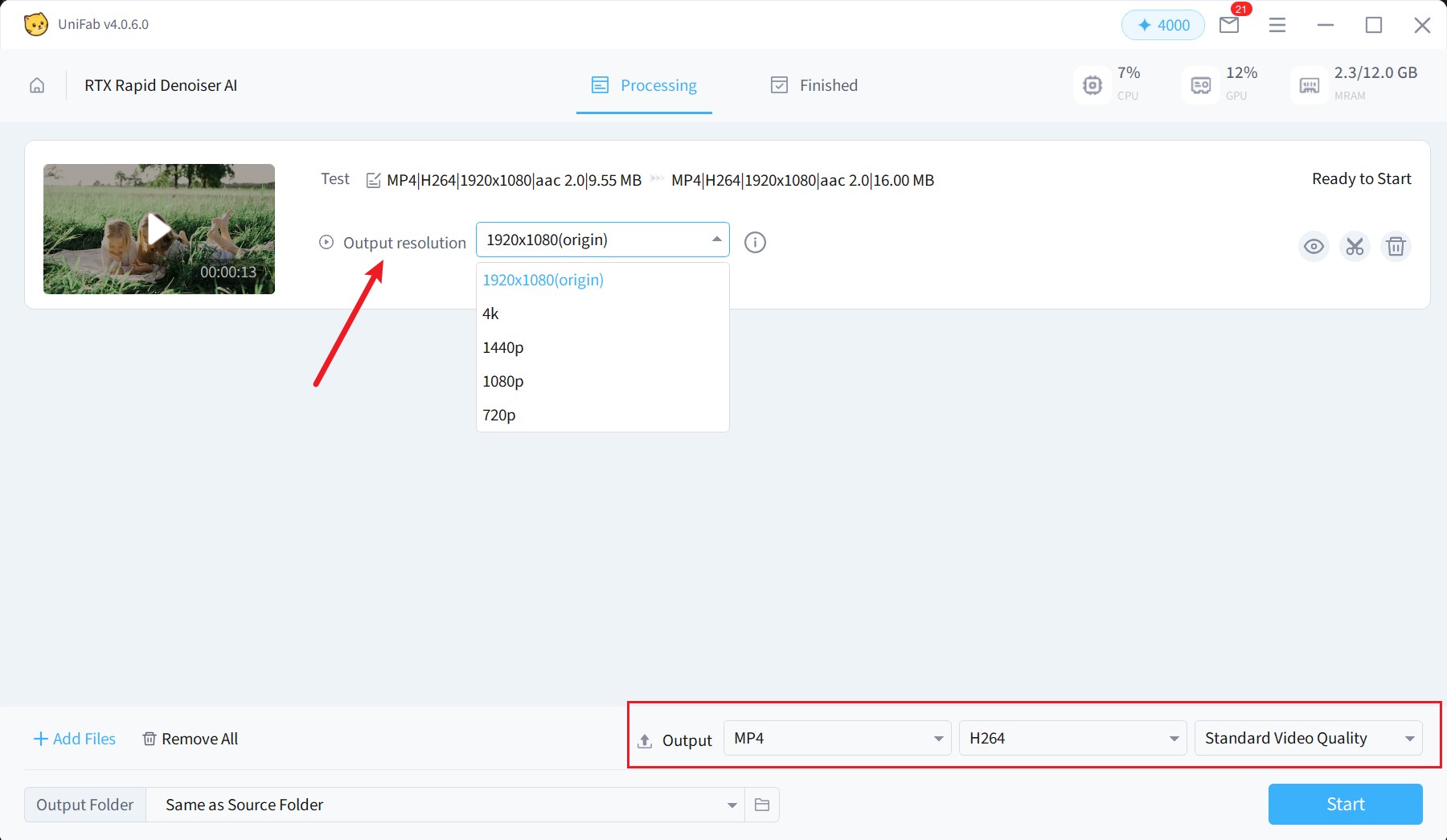
Step 3: Configure output settings
Select output resolution, format, and codec
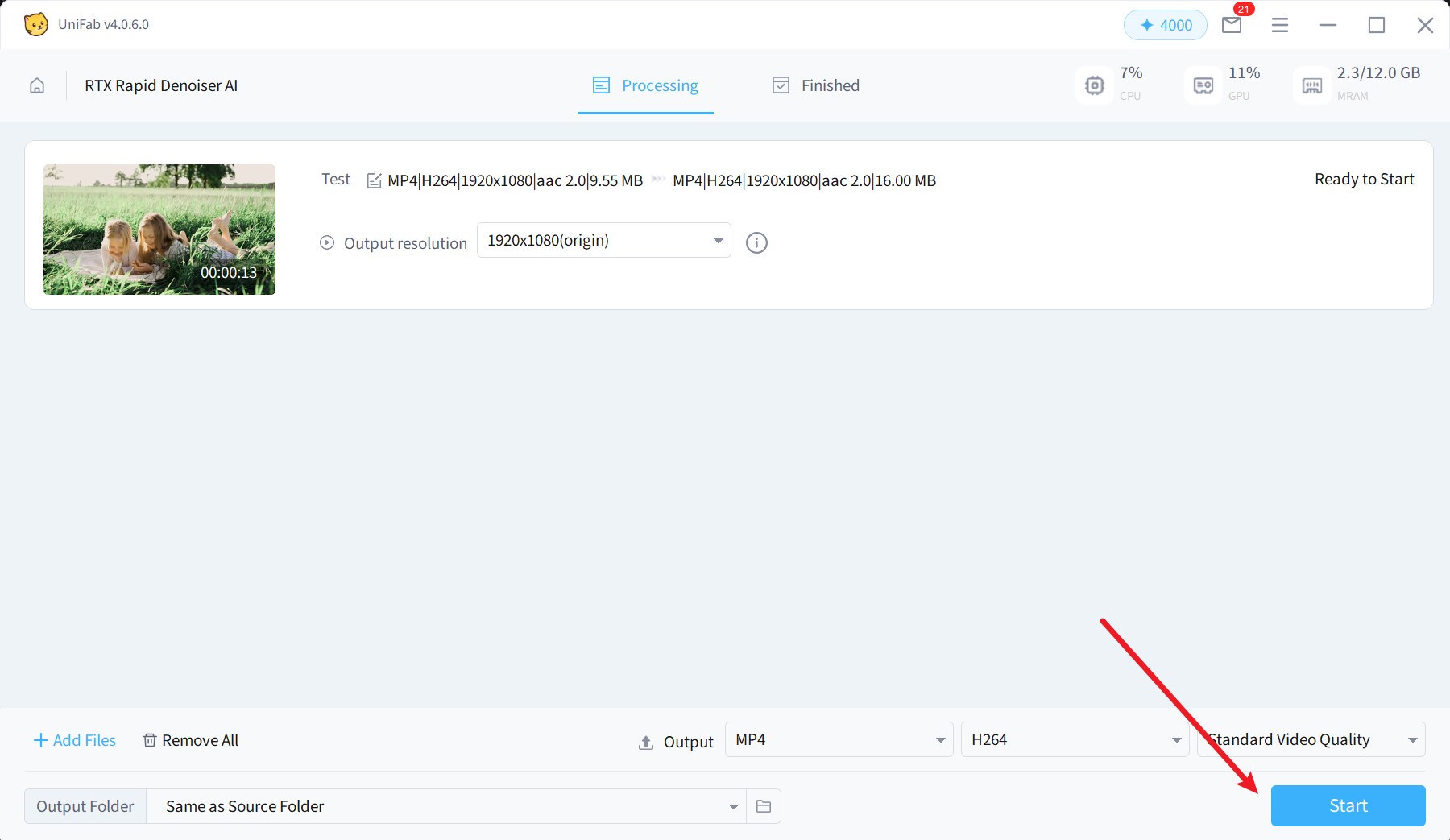
Step 4: Start processing
Click Start to begin AI denoising
Step 5: Export results
Export the processed video after completion
¶ 5. Processing Workflow
- Load the video locally
- Perform AI denoising using RTX GPU
- Export the optimized video file
¶ 6. Usage Rules (Trial & License)
- New users can try up to 3 tasks
- Trial or license status is automatically checked before processing
- If the trial expires or the license is invalid, you will be prompted to purchase
- Different prompts will be shown based on user status
¶ 7. Limitations
- Input resolution must not exceed 1920 × 1080
- Output resolution must not be lower than 320 × 240
- Only supports Windows 10/11 x64
- Requires NVIDIA RTX 20 series or above
- Driver version must be 550.58 or higher
¶ 8. FAQs
¶ Q1: Why can't I import my video?
Possible reasons:
- The video resolution exceeds 1920 × 1080
- Unsupported file format
Suggestion:
Please adjust the resolution or convert the format and try again.
¶ Q2: Why is the feature unavailable?
Possible reasons:
- Your device does not meet RTX GPU requirements
- GPU driver version is outdated
Suggestion:
Please update your GPU driver or use a compatible device.
¶ Q3: Why is the denoising effect not obvious?
Possible reasons:
- The original video has minimal noise
- The video is heavily compressed
Suggestion:
Try adjusting output settings or using higher-quality source footage.
¶ Q4: Can I still use it after the trial ends?
After the trial is used up, you need to purchase the full version to continue using the feature.
¶ Q5: Why did the processing fail?
Possible reasons:
- System environment does not meet requirements
- The video file is corrupted
Suggestion:
Please check your system environment or try another video file. If the issue persists, contact customer support.
¶ 9. Final Notes
RTX Rapid Denoiser AI is designed to provide efficient and stable video denoising, improving clarity while preserving natural details.
For more assistance, please visit the UniFab Help Center or contact technical support.