¶ 3.3 Video Translator AI FabCloud
¶ 3.3.1 Introduction
What can UniFab Video Translator AI do?
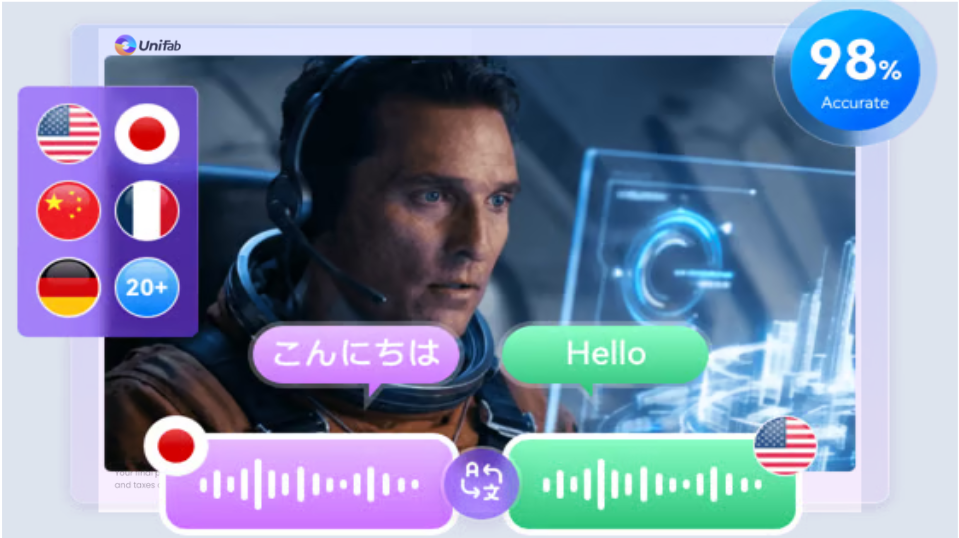
UniFab Video Translator AI can instantly translate any video (including movies, vlogs, tutorials, and podcasts) into over 20 languages with just one click. It automatically analyzes the video material, leverages advanced multi-speaker recognition technology to identify multiple speakers, and provides accurate and natural video language translation without any manual editing. Simply upload your file and get the video translation done with AI within seconds.
How to use UniFab Video Translator AI
- Step 1: Upload your video and select source parameters
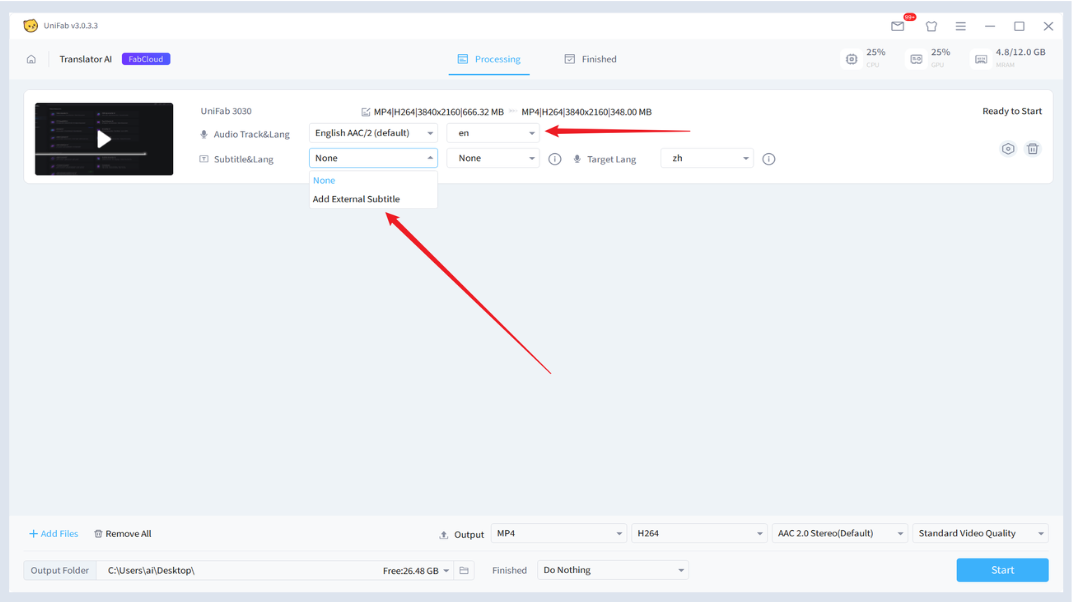
Launch UniFab and choose the “Video Translator AI” module. Then import your video file for translation. Next, select the video’s source audio track and source language, and choose your source video subtitle file and subtitle language.
Note: Subtitles must be added to use this feature. It is recommended to use the source video’s subtitle track. If not available, add external subtitles matching the audio track. Subtitle quality will affect the audio cloning quality. Make sure not to modify the source file location during the conversion process and ensure the input language selection is correct.
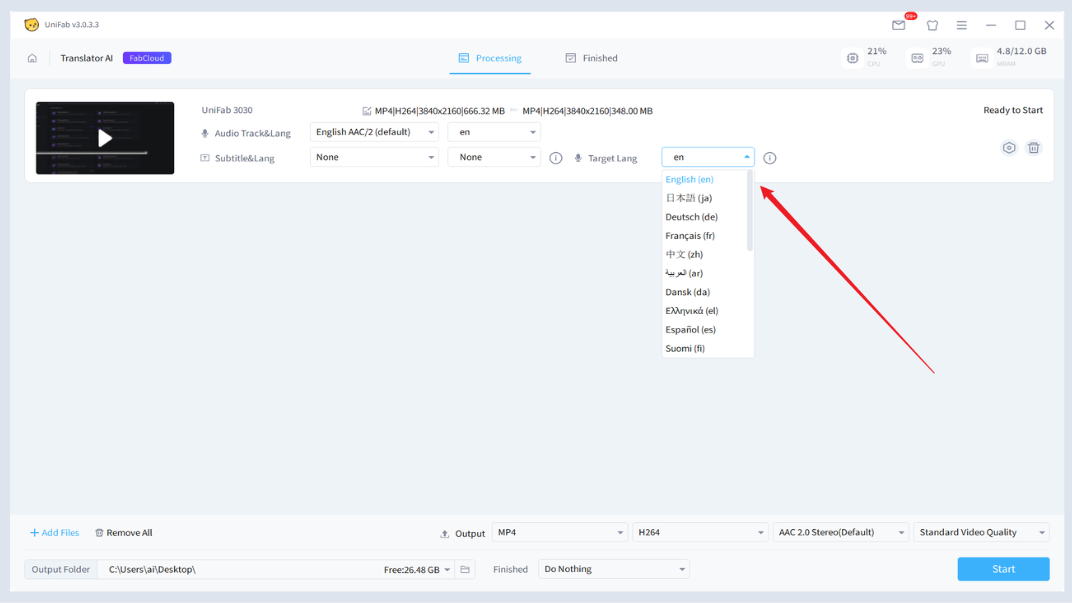
- Step 2: Select the Target Language
You can choose from 23 supported languages. UniFab will automatically detect the original language and generate a video file with accurate, time-synchronized translations in your chosen language.
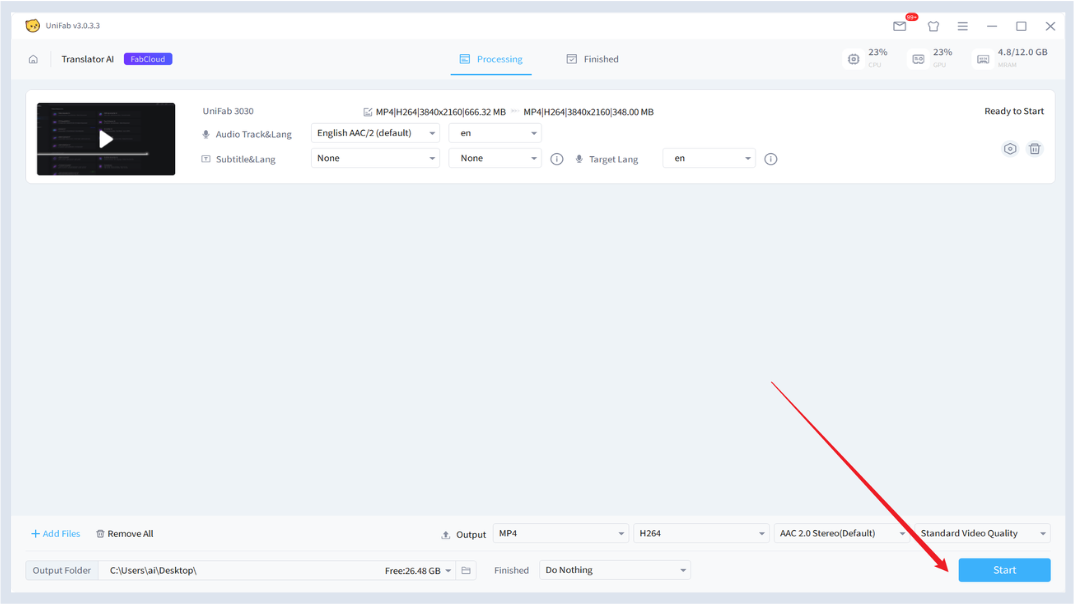
- Step 3: Export subtitle file
Click the “Start” button to begin the video translation process. Once completed, you will get a translated video file that can be directly used with UniFab Video Converter or any compatible media player.
¶ 3.3.2 System Requirements
| Operating System | RAM | Graphics Card | CPU |
| Windows 11/10 (64-bit only) | 16GB or more | Nvidia RTX 20 series or higher, 8GB VRAM | Intel 8th Gen Core i7 or AMD Ryzen 3000 series or higher |
¶ 3.3.3 FAQs
Is UniFab Video Translator AI Beta free to use?
Due to limited resources, the UniFab Video Translator AI Beta version is only available to users who have previously purchased UniFab products. Beta version limits: single video cannot exceed 5 minutes, with a total processing duration capped at 120 minutes. After the official release, trials and usage will be unrestricted.
What will the pricing of UniFab Video Translator AI be in the future?
UniFab Video Translator AI utilizes both cloud processing and local collaboration. Since cloud tasks require significant computing power, future usage will consume FabCloud credits. Don’t worry—after purchasing a client license, you will receive enough credits to cover your daily usage needs.
How many languages are supported?
UniFab supports 23 subtitle languages, including English, Spanish, French, German, Japanese, Chinese, Korean, and others.
Why is UniFab the best AI video translation tool?
UniFab is the only AI video language translator that offers multi-speaker detection, advanced voice cloning, emotional dubbing, and full movie-level audio reconstruction. It not only translates videos but also reproduces video content with native-level realism.
How to automatically translate videos?
Simply upload the video and subtitles, select the target language, and start the translation. UniFab AI Video Translator will automatically generate fully translated videos.
Does the translated voice sound natural and fluent?
Absolutely. UniFab’s AI voice cloning technology preserves the speaker’s tone, personality, speaking speed, and emotional style across languages, making it ideal for creators and filmmakers.
How does UniFab Video Translator AI work?
UniFab separates audio, transcribes speech, translates it into the target language, and then uses AI voice cloning to reproduce the speaker’s intonation and emotions. The new audio track synchronizes with your video, delivering natural and fluent multilingual dubbing with just one click.
Can the translation process be canceled once started?
Once UniFab Video Translator AI starts a task, credits cannot be refunded. Also, if the system crashes during conversion due to machine failure and no task records exist, the current client does not support queue recovery. If this occurs, please contact customer service immediately with the conversion time, and we will assist with file recovery. This feature is being continuously optimized, and future versions will offer better task recovery capabilities.
¶ Final Notes
This guide is designed to help you make the most of UniFab Video Translator AI. For additional help or inquiries, please visit our support page or contact customer service: service@unifab.ai.