¶ MusicMeta Converter AI – FabCloud
¶ 1. Introduction
MusicMeta Converter AI is an intelligent audio conversion feature under the UniFab FabCloud system. It allows users to extract audio from MV videos or audio files and automatically generate complete music metadata.
Powered by AI-based audio recognition technology, this feature not only converts video into audio but also intelligently identifies and embeds full music information—including song title, artist, album, and cover art—directly into the output audio file, delivering high-quality, ready-to-use music files.
This feature is ideal for the following scenarios:
- Extracting high-quality audio from MV videos
- Automatically generating audio files with complete music metadata
- Batch converting multiple audio and video files to improve efficiency
¶ 2. Key Features
- Audio Metadata Generation
One-click recognition of music information with automatic embedding of complete metadata into audio files. - Multi-format Conversion
Supports multiple mainstream audio output formats to meet different usage needs.** - Batch Conversion
Supports multi-task batch processing to significantly improve conversion efficiency. - Local and Cloud Collaborative Processing
Combines local processing with cloud-based AI analysis to ensure accurate metadata recognition.
¶ 3. Supported Input and Output Formats
¶ 3.1 Supported Input Formats
- Video formats: MOV, MP4, AVI, MPEG
- Audio formats: MP3, WAV, AAC, FLAC, M4A, WMA, APE
Notes: - Imported files must contain an audio track
- The maximum duration for a single file is 10 minutes
¶ 3.2 Supported Output Formats
- MP3
- AAC
- FLAC
- M4A
- WMA
- WAV
- APE
¶ 4. How to Use
¶ Step 1: Open MusicMeta Converter AI
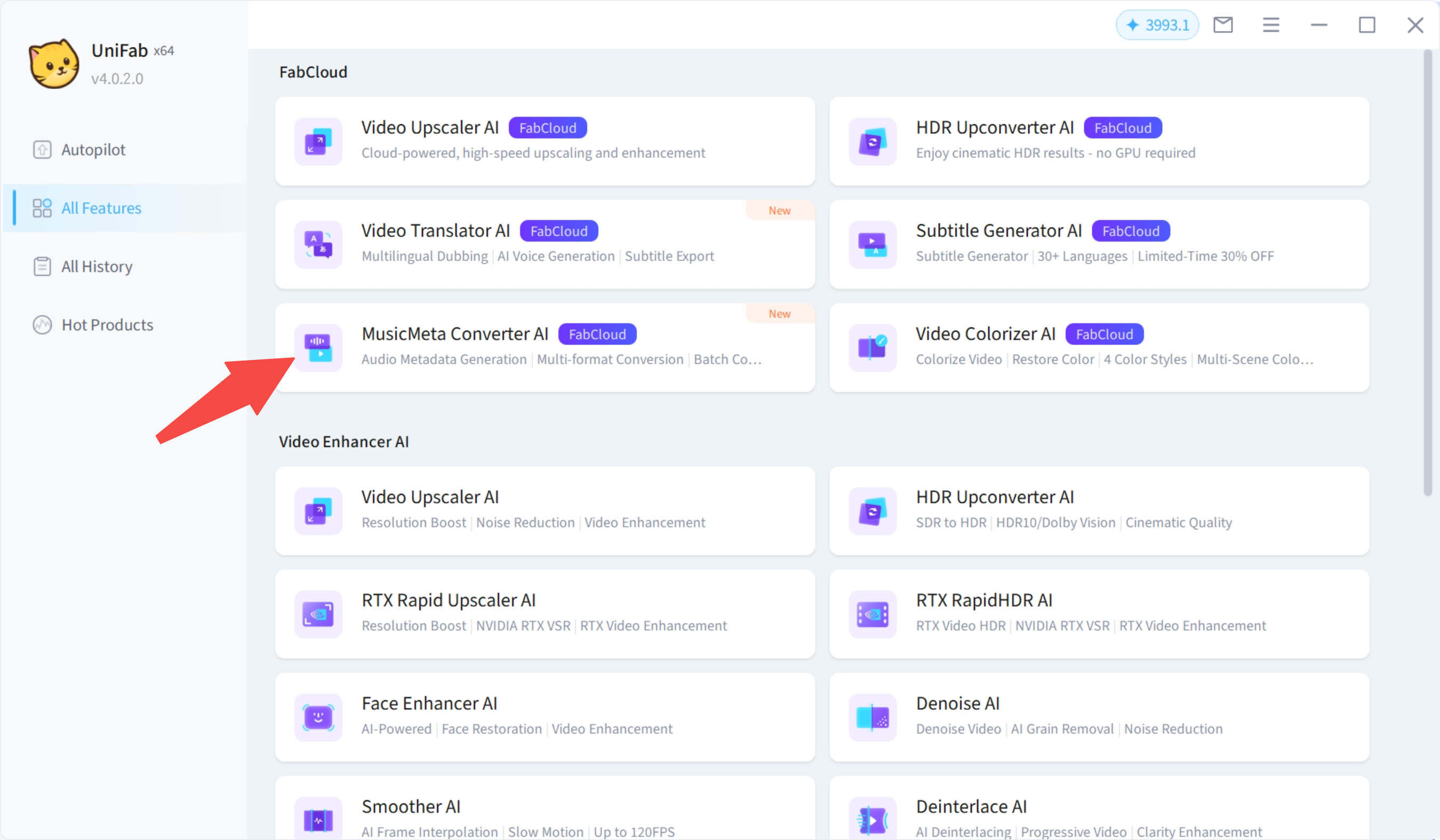
Launch UniFab and select MusicMeta Converter AI – FabCloud from the feature list.
The feature entry is marked with a NEW label.
¶ Step 2: Add Audio or Video Files
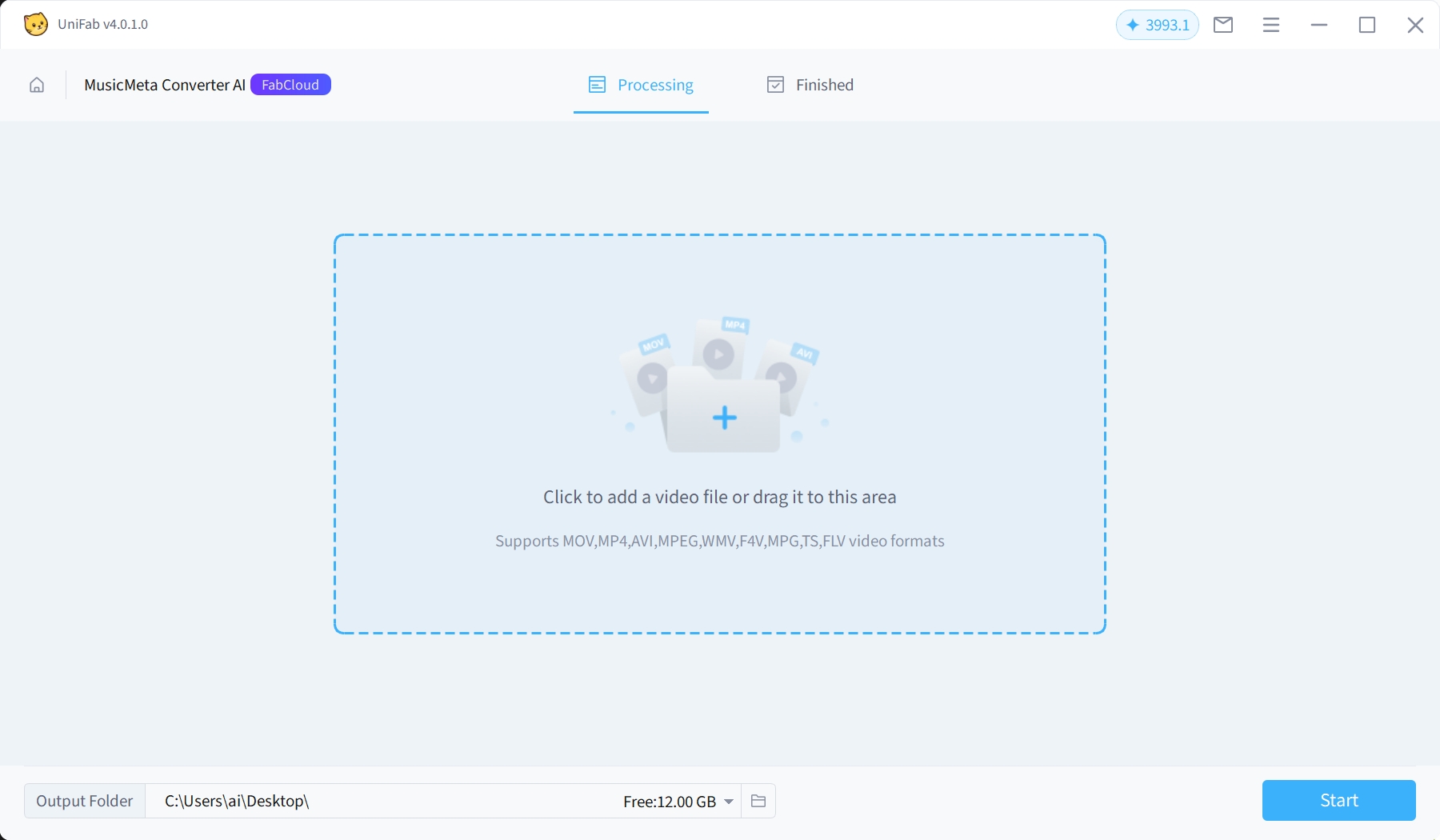
You can add files in the following ways:
- Drag and drop files into the software window
- Click the blank area to select files from your local device
Multiple files can be added at once for batch conversion.
Tip:
Using official MV videos or high-quality audio sources helps improve the accuracy of music metadata recognition.
¶ Step 3: Configure Output Settings
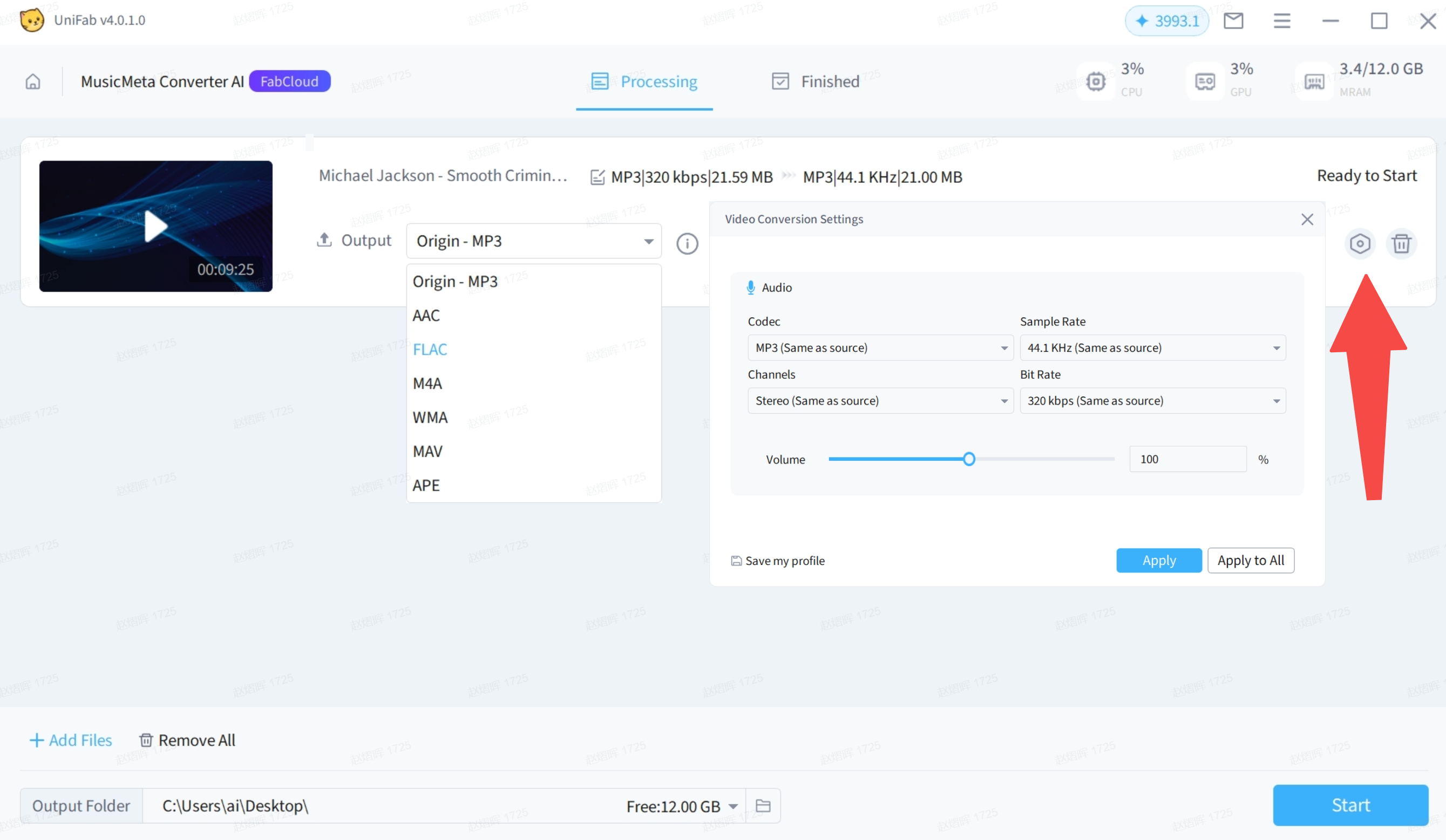
Select the desired:
- Output audio format
- Output quality
Click Settings to access advanced options: - Codec
- Sample Rate
- Channels
- Bit Rate
- Volume adjustment (0%–200%, default is 100%)
¶ Step 4: Start Conversion
Click Start to begin the task.
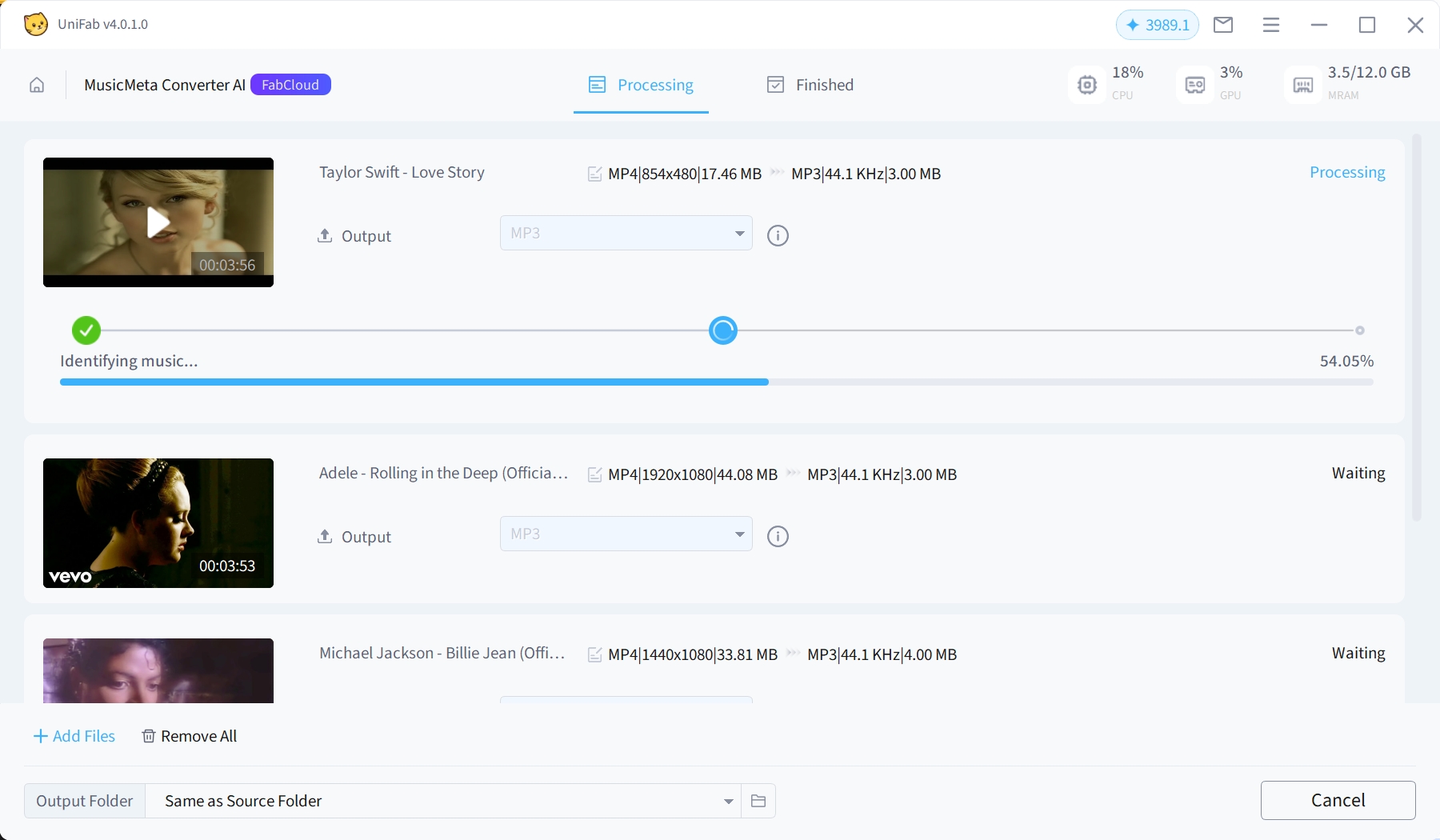
During conversion, the following statuses may be displayed:
- Processing Video: Local audio-video separation and audio fingerprint generation
- Identifying Music: Retrieving music metadata through AI recognition
- Generating Audio: Creating the final audio file and embedding metadata
¶ Step 5: Export Audio Files
Once the task is completed, the output audio files will include:
- Embedded music metadata
- Album cover art (if supported by the selected audio format)
You can find and use the generated audio files in the output directory.
¶ 5. Metadata Support by Audio Format
¶ 6. Credit Consumption Rules
MusicMeta Converter AI consumes credits based on file duration:
- Under 5 minutes: 1 credit
- 5–10 minutes: 2 credits
Credit usage is estimated before the task starts and finalized after cloud processing is completed.
If a task fails, the credits will be automatically refunded.
¶ 7. Usage Limitations
- Maximum duration per file: 10 minutes
- Video files without an audio track are not supported
- Metadata recognition results may vary depending on audio quality and source
¶ 8. Frequently Asked Questions (FAQs)
¶ Q1: Why was no music metadata recognized for some files?
Music metadata recognition depends on UniFab’s currently supported music library.
If metadata is not recognized, possible reasons include:
- The music is not yet included in our library
- Low audio quality affecting recognition accuracy
- Non-official versions such as covers, remixes, or live recordings
In such cases, the conversion task will still complete successfully, but no metadata will be embedded.
If the failure is confirmed to be due to library limitations, you may contact customer support to request a credit refund.
¶ Q2: Will the converted audio always include cover art?
Not necessarily.
Whether cover art is embedded depends on:
- Whether music metadata was successfully recognized
- Whether the selected output audio format supports cover embedding
For example, MP3, FLAC, and M4A support cover art, while WAV format has limited support.
¶ Q3: How can I improve the success rate of music metadata recognition?
To achieve more accurate recognition results, we recommend:
- Using official MV videos or licensed audio files
- Avoiding overly short clips or audio with excessive noise
- Keeping the audio content complete and untrimmed
High-quality audio from reliable sources is more likely to match entries in the music library.
¶ Q4: Does MusicMeta Converter AI support batch conversion?
Yes.
You can add multiple audio or video files at once, configure the output settings uniformly, and process them simultaneously to improve efficiency.
¶ Q5: Will credits be deducted if a task fails?
No.
If a task fails, any estimated or deducted credits will be automatically refunded to your account.
¶ Q6: Why does the same song produce different recognition results across files?
Recognition results may vary due to:
- Differences in audio encoding
- Variations in volume or sample rate
- The presence of intros, outros, or additional sound effects
Even for the same song, different source files may lead to different recognition outcomes.
¶ Q7: What types of content is MusicMeta Converter AI best suited for?
This feature works best with:
- Official MV videos
- Album audio files
- High-quality music videos or audio tracks
Recognition accuracy may be lower for heavily edited clips, mashups, or videos with complex background audio.
¶ 9. Final Notes
MusicMeta Converter AI is designed to make audio extraction and music metadata generation smarter and more efficient. With AI-powered music recognition and flexible audio settings, you can easily create high-quality audio files with complete information for playback, organization, or sharing.
For more assistance, please visit the UniFab Help Center or contact UniFab customer support.