¶ 3.5.1 Function Introduction
The cloud version HDR Upconverter focuses on converting ordinary videos into the HDR10 format that supports high dynamic range, enhancing the brightness, contrast, and color performance of the picture, and presenting a more realistic and richer visual experience.
¶ 3.5.2 Parameter Settings
- HDR format
- Currently only supports
HDR10format conversion
- Currently only supports
- HDR Color Gamut
- Supports two color gamut options:
HDR DCI-P3HDR Rec.2020(only available in HDR10 format)
- Supports two color gamut options:
- Output Audio
- Only supports
Keep Original, which means keeping the original audio with no other audio processing options
- Only supports
¶ Resolution Limit
- Currently, the cloud HDR feature supports a maximum resolution of 4K
- When the resolution of uploaded creatives exceeds 4K, the system will prompt that it cannot be processed
- If you need to process creatives with higher resolution, please first reduce the video to 4K or lower locally
¶ 3.5.3 Instructions for Use
File size limit: 10GB
The cloud HDR feature consumes credits, which are calculated based on the video's resolution and length
| Coverage | Basic Billing (cents/minute) |
| 720p and below | 0.5 points |
| 1080p | 1 point |
| 2K | 2 points |
| 4K | 4 Points |
- Points = Video Duration (minutes) × Resolution Level
- Video duration will be rounded up and down, with durations over 30 seconds counted as 1 minute
- Suitable for users who wish to enhance the HDR effect of videos but have insufficient device performance
- The entire processing is completed in the cloud, and is affected by network conditions. It is recommended to use it in a stable and high-speed network environment.
¶ 3.5.4 Operating Steps
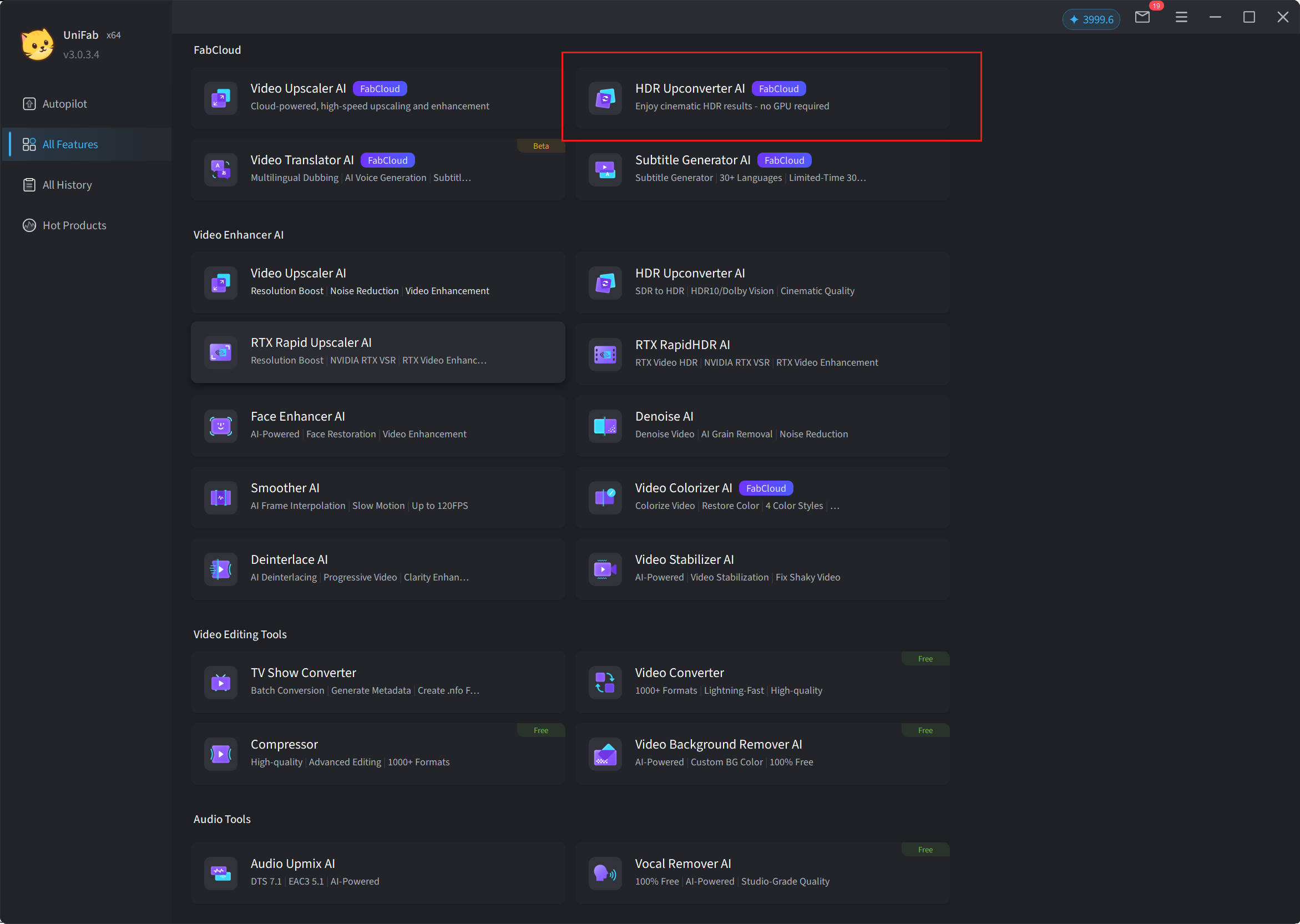
Step 1: Open UniFab and select "HDR Upconverter AI FabCloud"
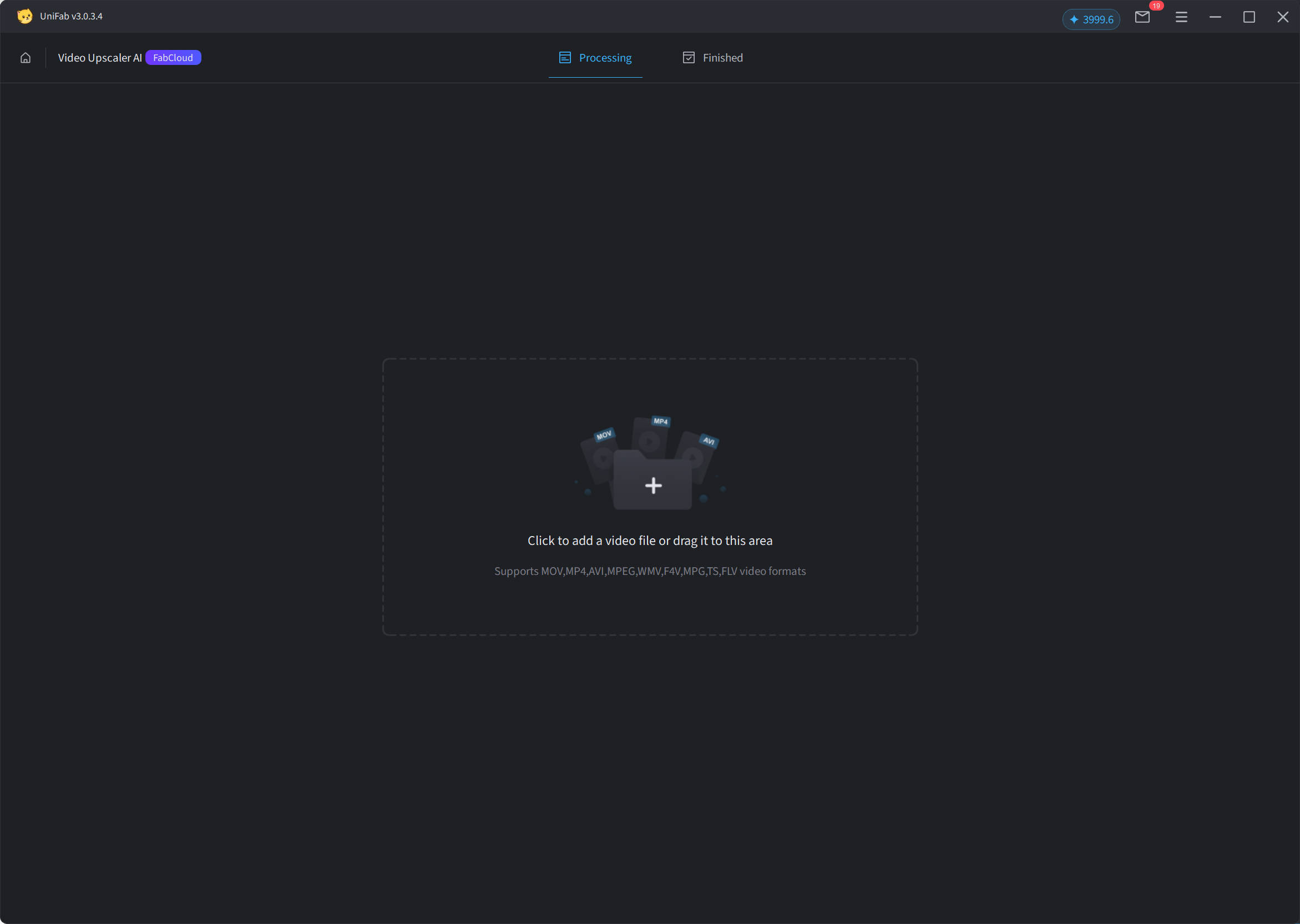
Step 2: Import Video
Click the "+" button or drag the file, then select the video you want Upscaler to process.
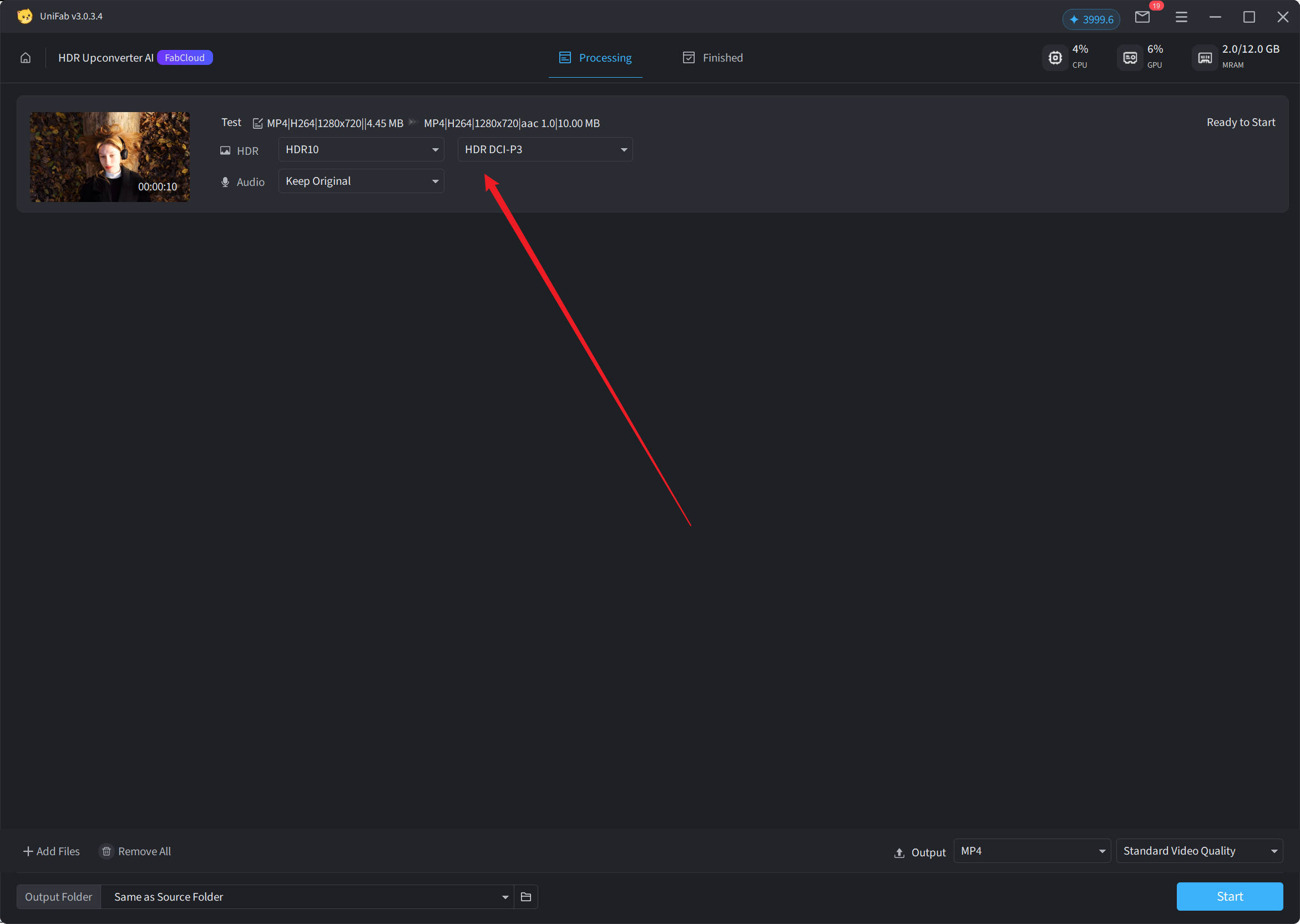
Step 3: Adjust Output Resolution
On the current interface, you can easily adjust the relevant HDR parameters.
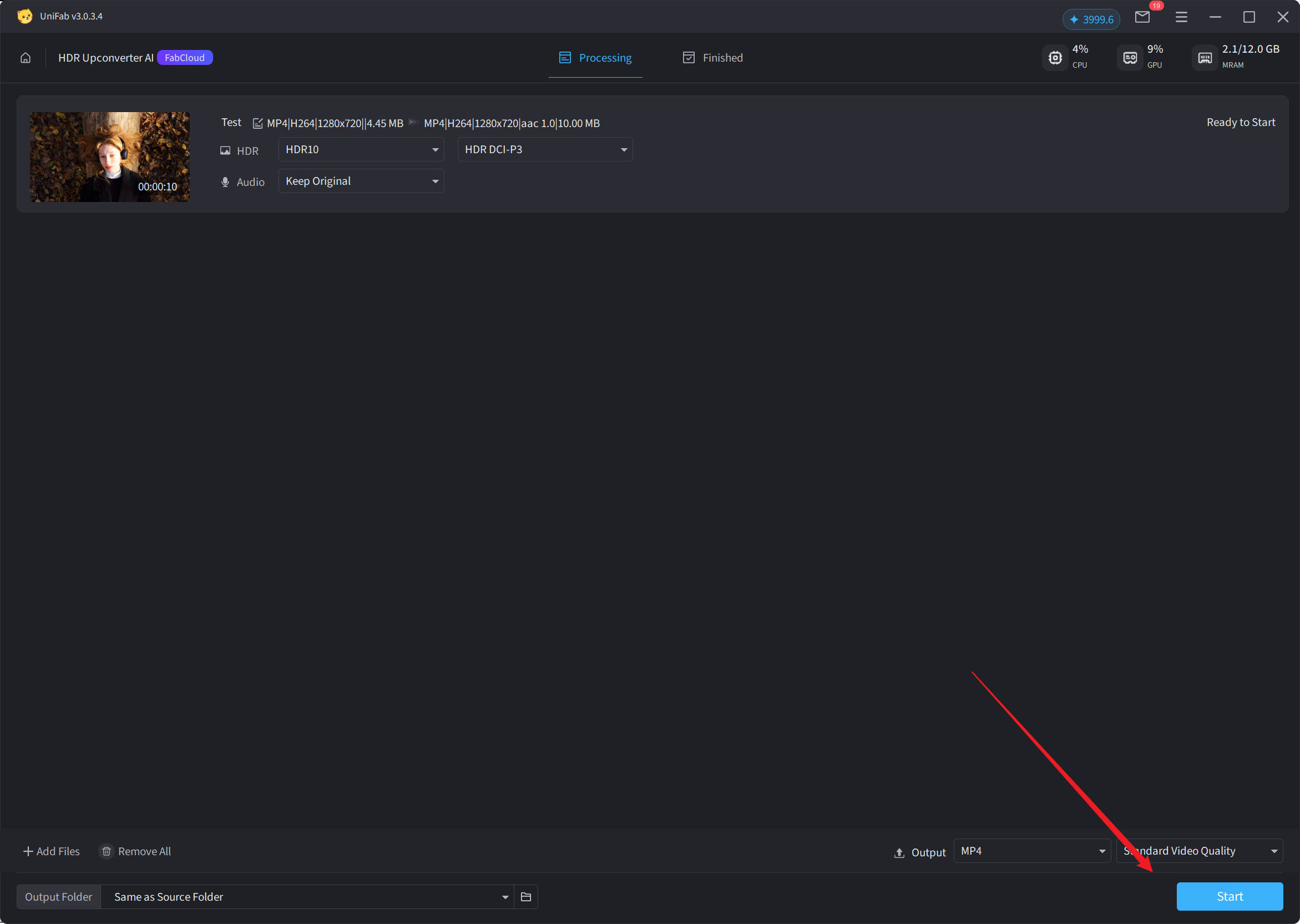
Step 4: Start Processing
Click “Start” to apply the HDR effect.
¶ 3.5.5 System Requirements
Cloud processing has lower requirements for local devices, is basically compatible with modern operating systems and browser environments, but is recommended to be used in a stable and high-speed network environment to ensure a good experience.
¶ 3.5.6 Frequently Asked Questions
Q1: Which HDR formats does the cloud version of HDR Upconverter support?
Only supports HDR10 format.
Q2: Which HDR color gamuts can be selected?
Supported HDR DCI-P3 and HDR Rec.2020 (HDR10 only).
Q3: Is the output audio processed?
Currently, only keeping the original audio is supported, without any audio enhancement or conversion.
Q4: Why does uploading videos with a resolution higher than 4K fail?
Currently, the cloud HDR feature supports a maximum resolution of 4K, and creatives beyond this range cannot be processed for the time being.
Q5: Does using the cloud version of the HDR feature require consuming points?
Yes, credit consumption is related to video duration and resolution. For details, please refer to the Usage Instructions section.
Q6: How can I obtain the processed video?
After the processing is completed, the user can download the converted HDR video file on the Client.